 Cathena AI cat companion
 VISEFF AI photo effects
Photo Booth App: Make a Four-Frame Strip, Purikura or Photocard From One Photo
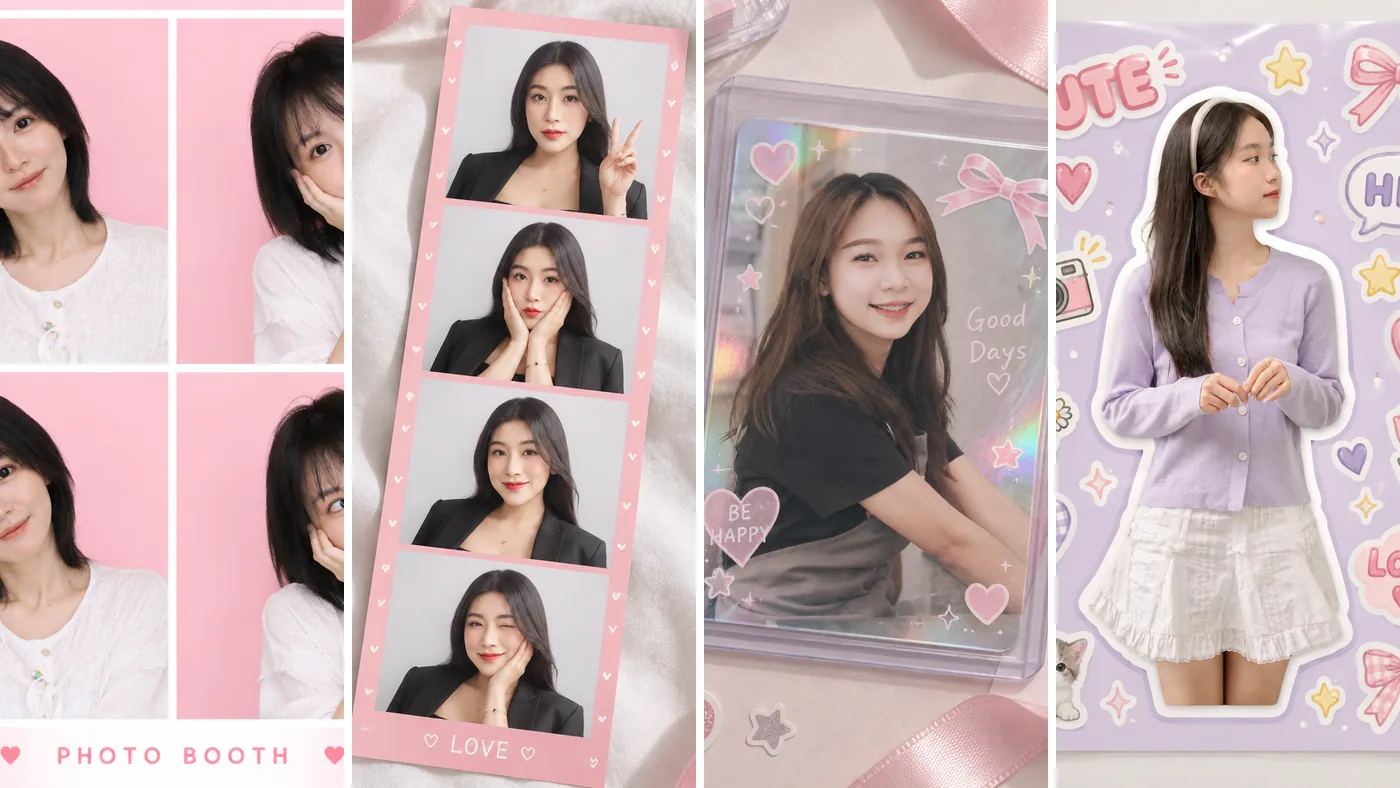
You don't need to find a photo booth to get a four-frame strip, a purikura sheet or an idol-style photocard. Open VISEFF, pick one photo, tap the Layout tab and choose a style. In about 15 seconds it's done, with your face and pose kept as they are. And if you already have several photos you want to put together, there are 10 Free photo frames that use no AI and no credits.
Quick answers
How do I make a photo booth strip on my phone? There are two ways. With just one photo, use an AI layout to turn it into a four-frame strip, a nine-grid sheet or a photocard. With several photos, use a free photo frame and drop your own photos into the slots.
Is it free? VISEFF is free to download. AI layouts use credits: VISEFF Premium gives you 10 credits a day for AI effects – most effects use 1, and the free version includes free credits too. Free photo frames are free for everyone and use no credits. AI results made with the free version have a watermark.
How long does it take? An AI layout takes about 15 seconds and is saved to My Creations automatically. With a free photo frame, pick your photos, adjust them and save or share.
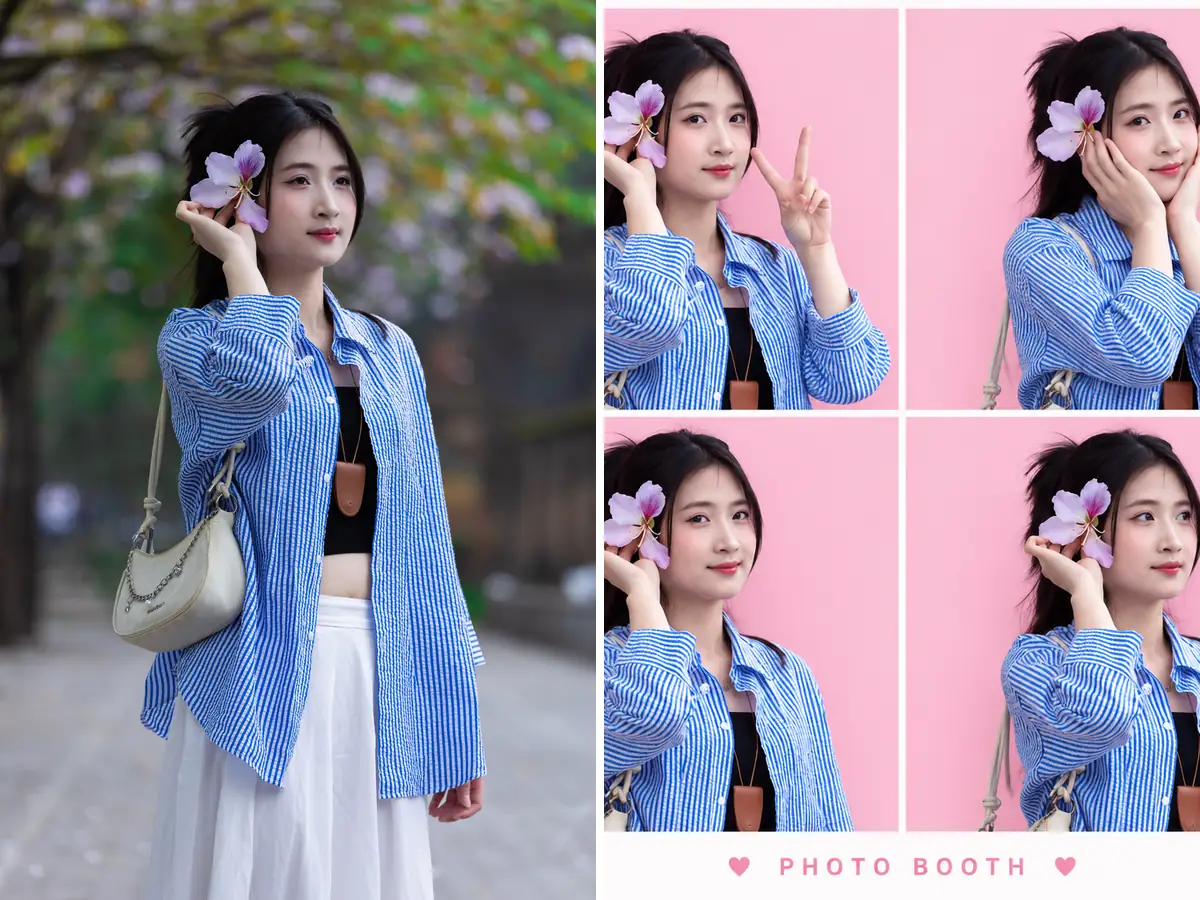 Original on the left, Photo Booth on the right: one photo turned into four different poses.
Six AI photo booth styles from a single photo
These are the names you will see in the app:
- Photo Booth: a Korean-style four-frame photo strip with four cute poses.
- Photo Strip: a four-shot photo strip on a table, with a different frame each time.
- Purikura: bright booth lighting, doodled hearts and stars, and a glitter frame.
- 9-Grid Photo Booth: a 3x3 photo-booth sheet with nine cute expressions.
- Idol Photocard: your photo as a K-pop collectible card in a sticker-decorated sleeve.
- Sticker Sheet: you as a die-cut sticker surrounded by cute little stickers.
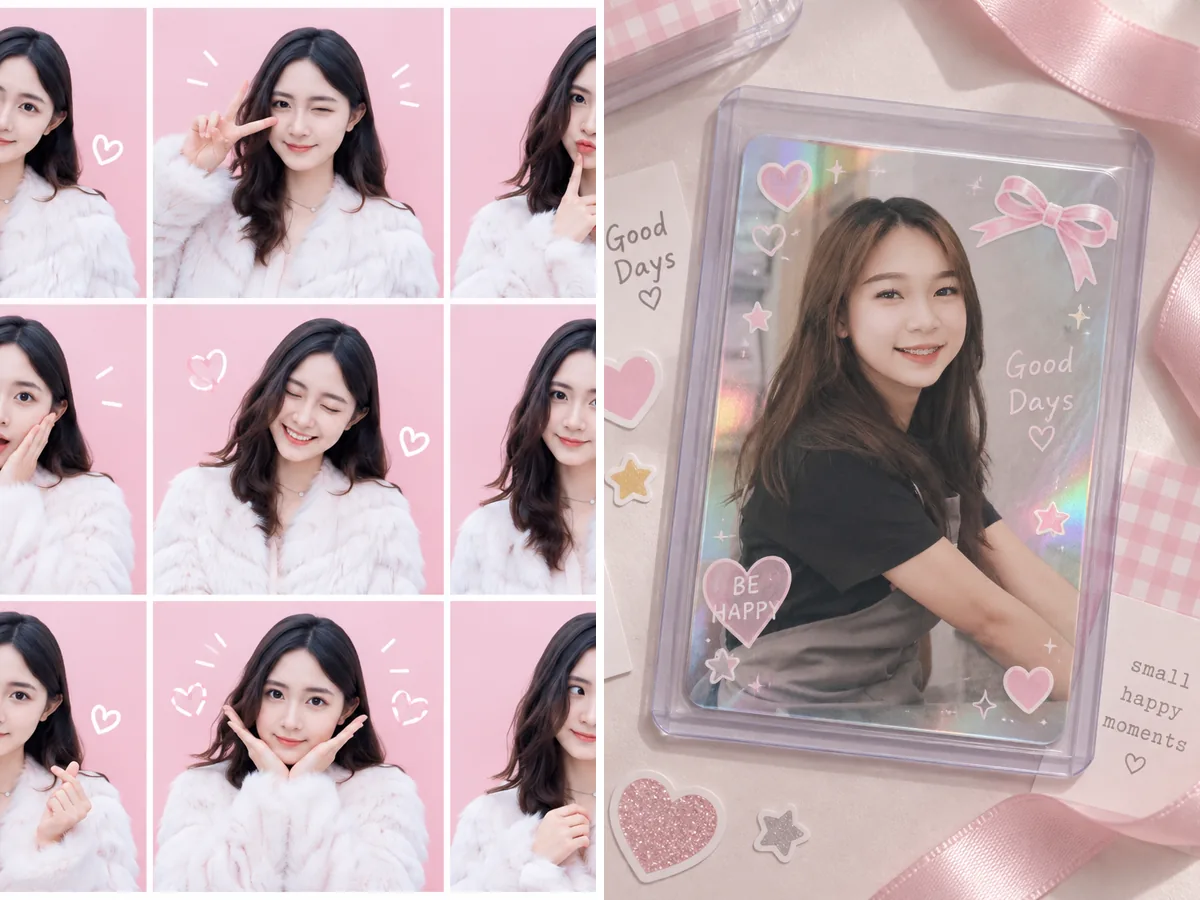 9-Grid Photo Booth (left) and Idol Photocard (right).
How to make an AI photo booth strip in VISEFF (4 steps)
- Open VISEFF.
- Pick a photo. A photo of one person with a clear view of the face works best.
- On the effects wall, tap the Layout tab.
- Choose a style and wait about 15 seconds. Photo Strip uses a different frame each time, so make a few and keep your favorite.
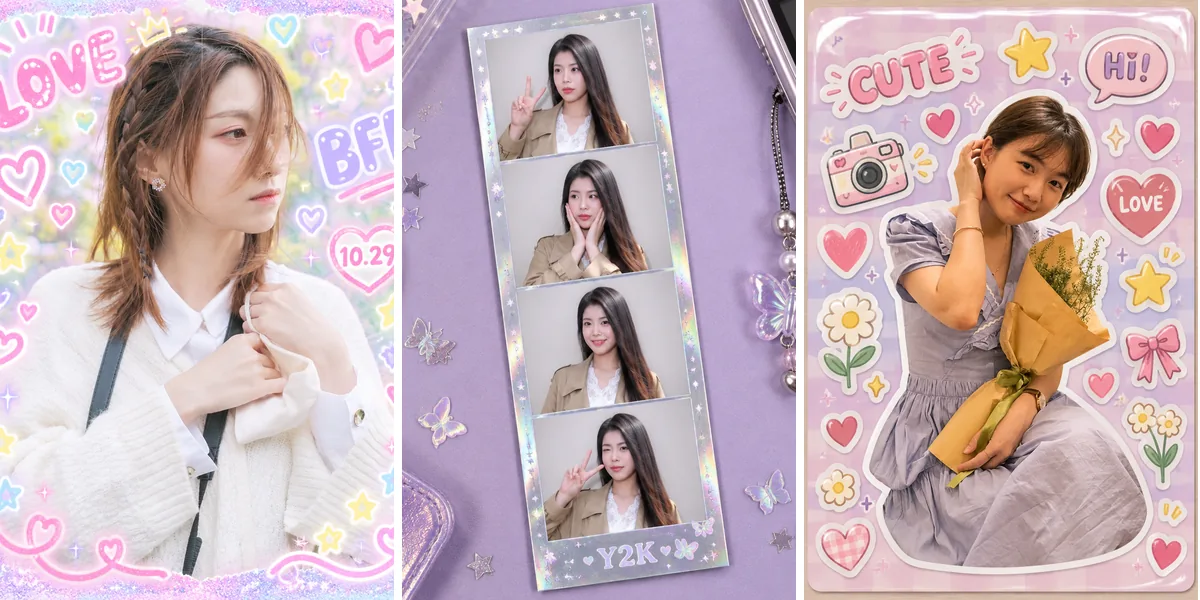 Purikura, Photo Strip and Sticker Sheet, each made from a different photo.
Already have several photos? 10 free photo frames
You'll find Free photo frames in a row on the VISEFF home screen. They use no AI, work in the free version and use no credits. Pick a few of your own photos from your library to fill the slots; drag to move, pinch to zoom and tap to change a photo. Some frames add today's date. When you're done, save it to your photos or share it straight away.
The current frames are:
- Strips and grids: First Snow Strip, Photo Strip · White, Photo Strip · Black, Photo Strip · Pink, Korean 4-Cut
- Instant photos: Instant Photo, Instant Trio
- Other: Film Strip, Scrapbook, 9-Grid
After a day out with friends, one framed collage is a nicer post than ten separate photos.
AI layout or free photo frame?
| AI layout | Free photo frame | |
|---|---|---|
| Photos needed | 1 | 1 to 9, depending on the frame |
| Poses and expressions | AI creates different expressions for you | Your own photos, as you took them |
| Credits | Most use 1 | None |
| Best for | One good photo, many looks | A set of photos you want together |
Change your look first
Want a different hairstyle or hair color in your photo booth strip? Try it with the Hairstyles or Hair Color tab first, then use that photo for your layout. See our guides to trying hairstyles on your photo and trying hair color before you dye.
Good to know
- AI layouts keep your face and pose, but the different expressions in a four-frame strip or nine-grid sheet are made by AI; they aren't extra photos you took.
- The result is a digital image, not a printed booth strip. If you want a print, you'll need to print it yourself.
- The clearer the photo and the more of your face is visible, the more natural the result looks.
FAQ
Is there a free photo booth app?
VISEFF is free to download. AI layouts use credits: VISEFF Premium gives you 10 credits a day for AI effects – most effects use 1, and the free version includes free credits too. Free photo frames use no AI and are free for everyone, with no credits.
Can I make a four-frame photo strip from just one photo?
Yes. Choose Photo Booth or 9-Grid Photo Booth in the Layout tab, and AI creates different expressions from the same photo.
How many photos do the free photo frames need?
It depends on the frame, from 1 to 9: for example, 1 for Instant Photo, 3 for Instant Trio, 4 for the photo strips and 9 for 9-Grid.