 Cathena AI cat companion
 VISEFF AI photo effects
AI Hairstyle Try-On: See 14 Haircuts on Your Own Photo Before You Cut
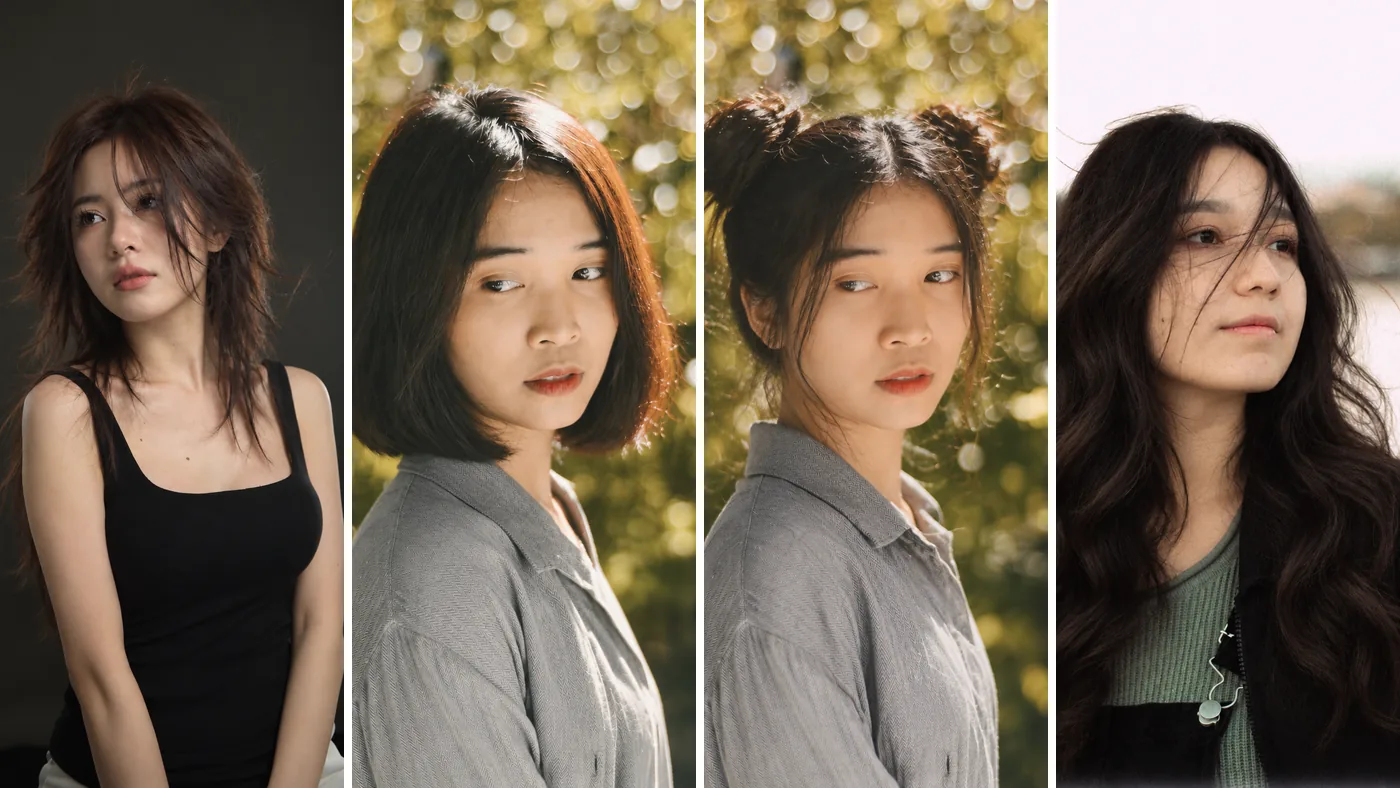
Thinking about a big cut but not sure it will suit you? Try it on a photo first. Open VISEFF, pick a photo of yourself, tap the Hairstyles tab and choose a style. In about 15 seconds you see yourself with the new haircut, and your face and pose stay exactly as they were. The app is free to download, the free version includes free credits, and most hairstyles use 1 credit.
Quick answers
How do I try a hairstyle on my photo? Use a photo you already have; you don't need to take a new one. A front-facing photo that shows your whole head and shoulders gives the easiest comparison.
Is it free? VISEFF is free to download. AI effects use credits: VISEFF Premium gives you 10 credits a day for AI effects – most effects use 1, and the free version includes free credits too. Trying one hairstyle is usually 1 credit. AI results made with the free version have a watermark.
How long does it take? About 15 seconds after you pick a style. The result is saved to My Creations automatically, and you can hold the image to see the original, so before and after are one tap apart.
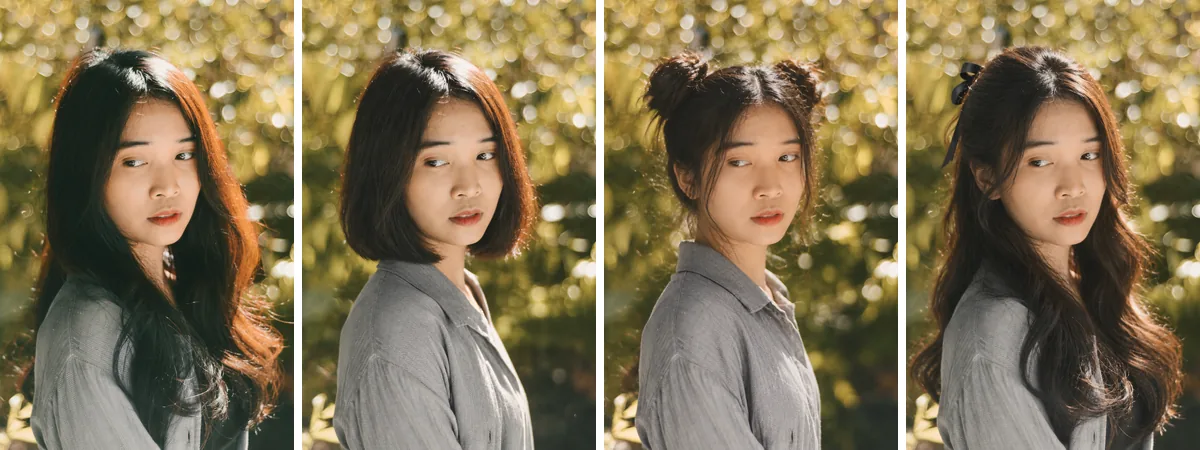 Far left is the original photo. The next three are Sleek Bob, Space Buns and Half-Up. Same person, same pose; only the hair changes.
How to try a hairstyle in VISEFF (4 steps)
- Open VISEFF.
- Pick a photo of yourself.
- On the effects wall, tap the Hairstyles tab.
- Choose a style and wait about 15 seconds. Not sure? Try the next one and compare.
All 14 hairstyles
These are the names you will see in the app, with what each one does.
Short hair
- Sleek Bob: a sleek, chin-length bob in your own hair color.
- French Bob: a short bob with full bangs that skim the brows.
- Pixie Cut: a chic, textured pixie cut with a side-swept fringe.
Layers and texture
- Wolf Cut: a shaggy cut with choppy, textured layers.
- Fluffy Curls: fluffy, airy curls at shoulder length.
- Butterfly Layers: bouncy layers that frame the face.
Long hair
- Long Waves: long, voluminous soft waves past the shoulders.
- Korean C-Curl: long hair with a center part and soft C-curl ends.
- Hime Cut: the Japanese hime cut, with blunt bangs and side locks.
Bangs only
- Curtain Bangs: wispy French curtain bangs, keeping your length.
Updos and braids
- High Ponytail: a sleek high ponytail with soft face-framing strands.
- Double Braids: two neat Dutch braids falling over the shoulders.
- Space Buns: two cute high buns with soft face-framing strands.
- Half-Up: a soft half-up style with a little ribbon bow.
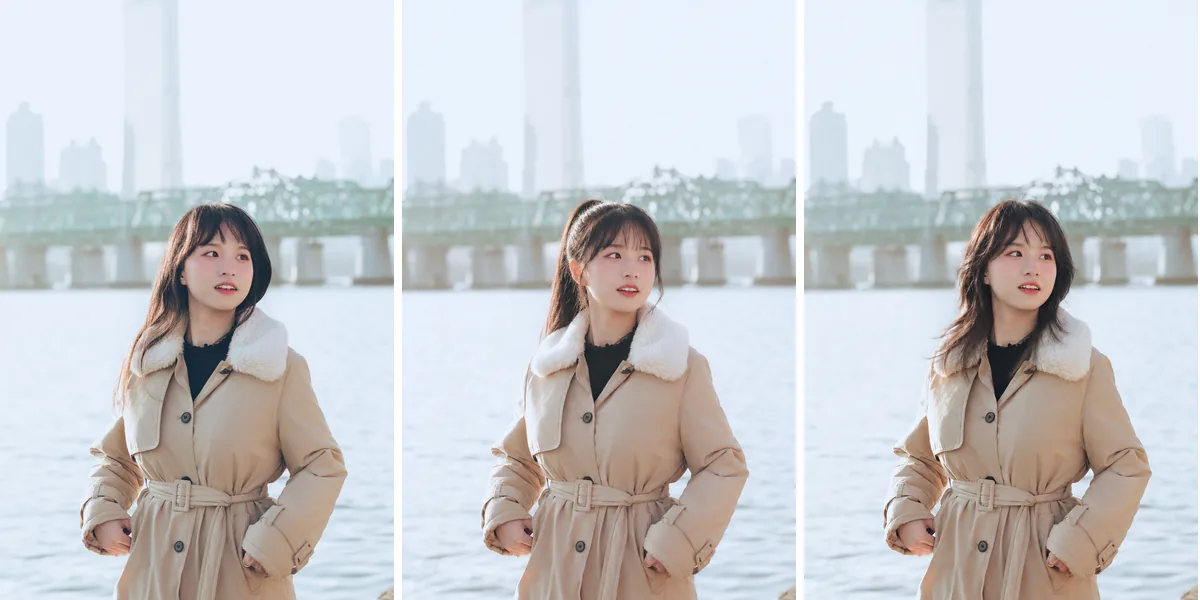 Original (left), High Ponytail (middle) and Wolf Cut (right): tied up versus cut short, side by side.
Which hairstyles should you try first?
- You want to go short but feel nervous: start with Sleek Bob and French Bob, then see how the even shorter Pixie Cut looks.
- You want more shape: Wolf Cut, Butterfly Layers and Fluffy Curls are very different from each other. Try all three and see which one feels like you.
- You only want new bangs: Curtain Bangs adds bangs and keeps your length. Hime Cut changes the bangs and the sides of your face.
- You're planning a look for an event or a photo: Space Buns, Double Braids and Half-Up let you see the style on camera before you spend time doing it for real.
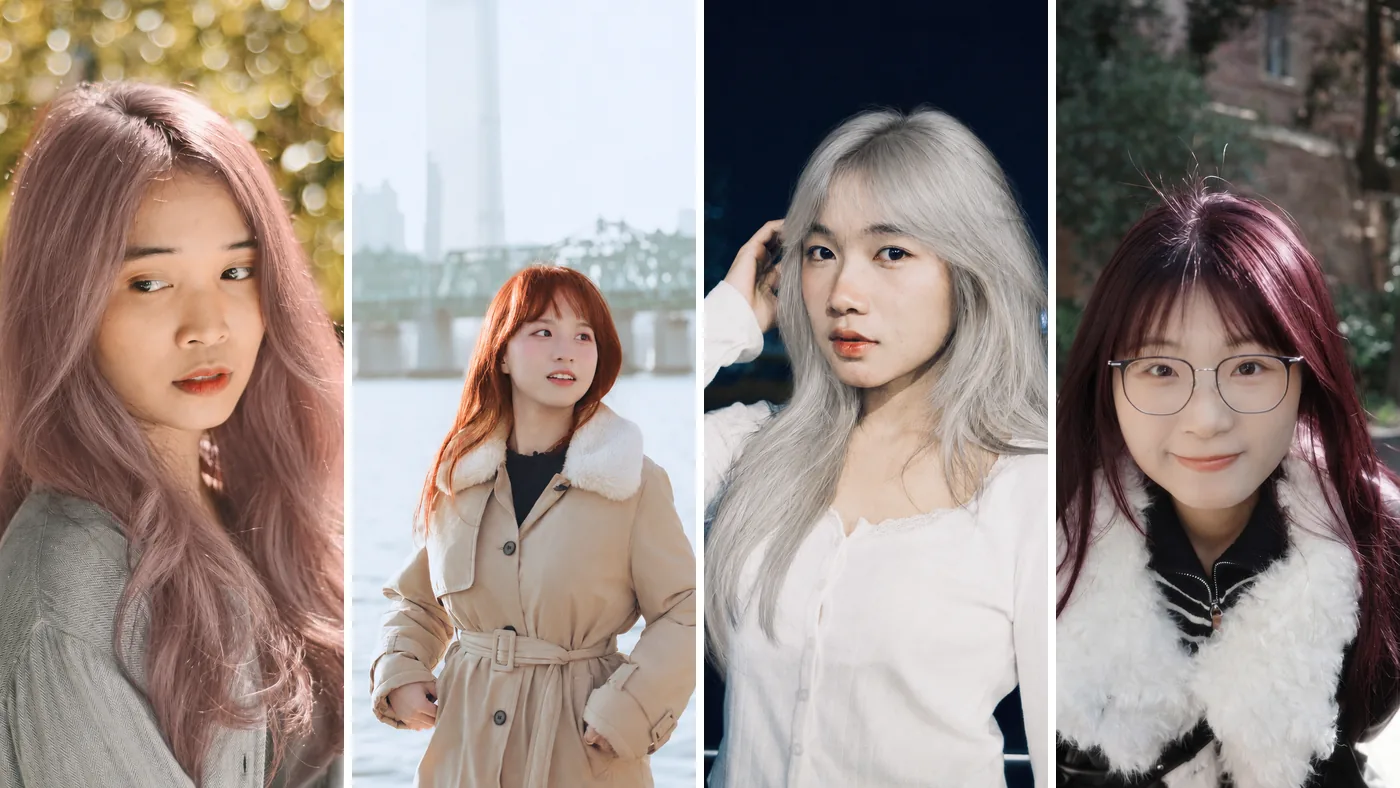
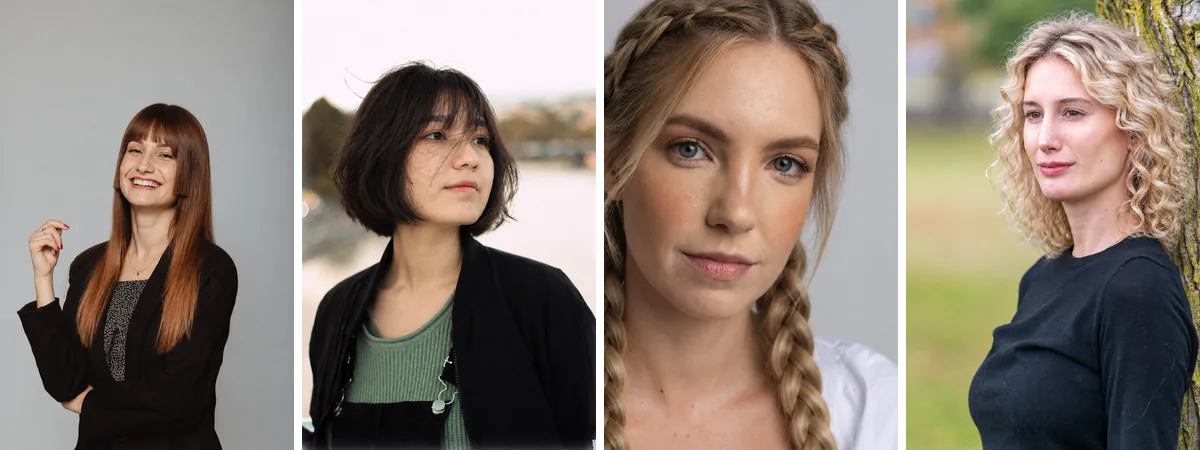 Hime Cut, French Bob, Double Braids and Fluffy Curls, each made from a different photo.
Want a new hair color too?
Hairstyles and hair colors are two separate tabs in the app. Save your favorite cut, then try colors on that new photo. Our guide to trying on hair colors covers all 12 shades, from Milk Tea Brown to Icy Platinum. And if you want your new look in a four-frame photo strip or an idol-style photocard, see how to make a photo booth strip from one photo.
What an AI hairstyle preview can't tell you
- An AI hairstyle try-on is a preview, not a promise. How a cut really turns out depends on your hair type, how thick your hair is and your stylist's judgement.
- VISEFF keeps your face and pose and changes only the hair. The clearer the photo, and the more of your hair is in the frame, the easier it is to compare.
- Showing the preview to your stylist is much clearer than trying to describe the cut in words, and it's a good starting point for a conversation about what will work with your hair.
FAQ
Is there a free app to try hairstyles on my photo?
VISEFF is free to download, and the free version includes free credits for AI effects. VISEFF Premium gives you 10 credits a day for AI effects – most effects, including hairstyles, use 1. AI results made with the free version have a watermark.
Will trying a hairstyle change my face?
No. VISEFF keeps your face and pose and changes only the hairstyle, so it still looks like you.
Will the real haircut look exactly like the preview?
Not necessarily. The preview is a reference. The real result depends on your hair type and thickness and on how your stylist cuts it, so bring the preview along and talk it through.