 Cathena AI cat companion
 VISEFF AI photo effects
Try Hair Color on Your Photo: 12 Shades to Test Before You Dye
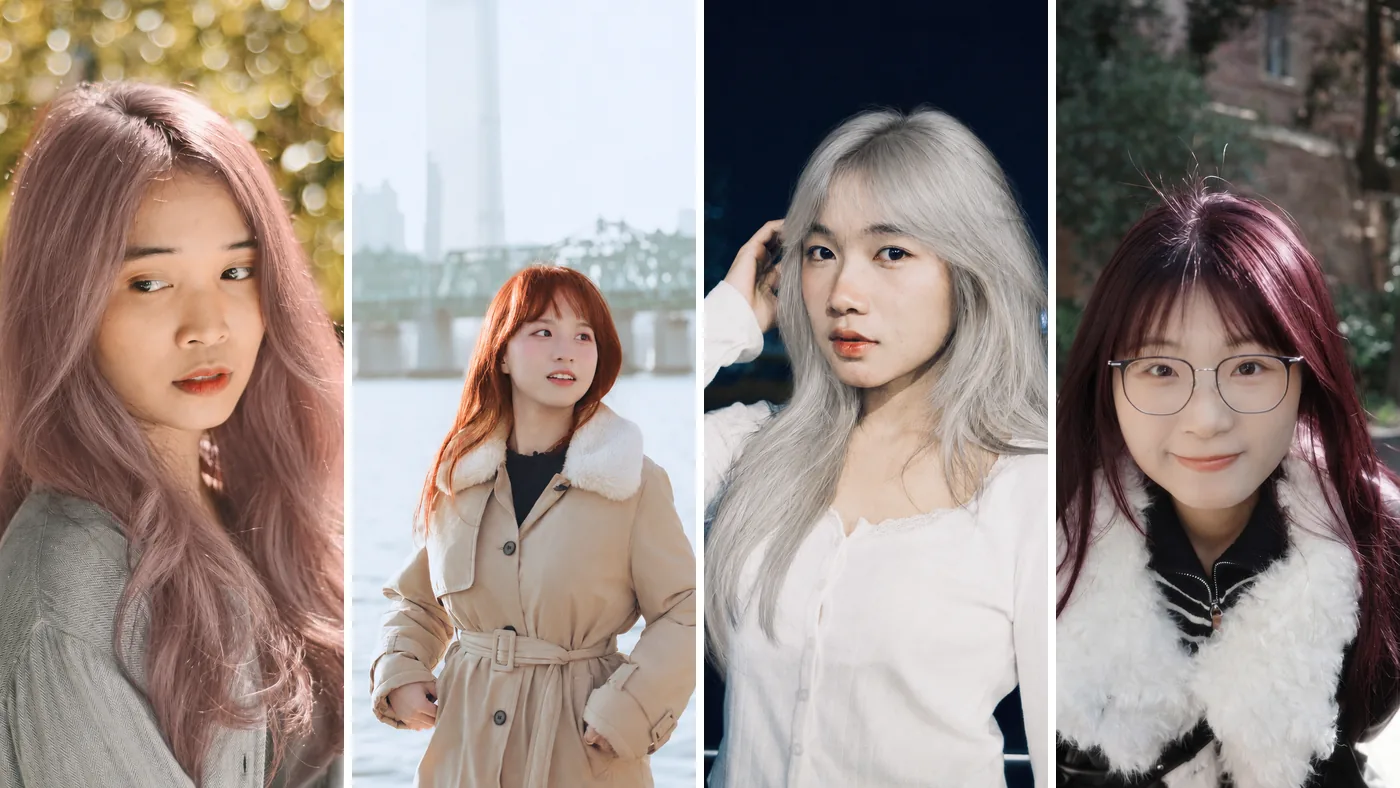
Dyeing your hair takes time and money, and finding out afterwards that the color doesn't suit you is no fun. Try it on a photo first. Open VISEFF, pick a photo of yourself, tap the Hair Color tab and choose a shade. In about 15 seconds you see your new hair color, and your face and pose stay as they are. The app is free to download, the free version includes free credits, and most hair colors use 1 credit.
Quick answers
How do I try a hair color on my photo? Any photo already on your phone works. The more of your hair is in the shot, and the more natural the light, the easier the color is to judge.
Is it free? VISEFF is free to download. AI effects use credits: VISEFF Premium gives you 10 credits a day for AI effects – most effects use 1, and the free version includes free credits too. One hair color is usually 1 credit. AI results made with the free version have a watermark.
How long does it take? About 15 seconds after you pick a color. The result is saved to My Creations automatically, and you can hold the image to see the original, so the before and after are easy to compare.
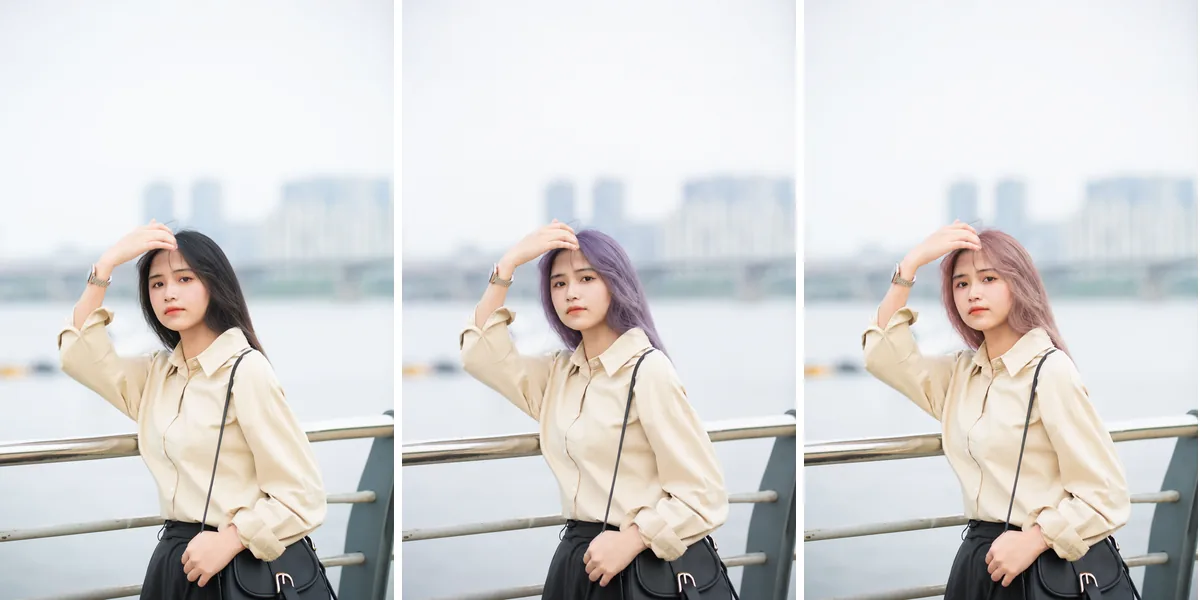 Far left is the original photo, the middle is Lavender and the right is Misty Pink. Same person, clothes and background; only the hair color changes.
How to change your hair color in VISEFF (4 steps)
- Open VISEFF.
- Pick a photo of yourself.
- On the effects wall, tap the Hair Color tab.
- Choose a color and wait about 15 seconds. Try a few and keep the ones you like to compare later.
All 12 hair colors
These are the names you will see in the app, with the color each one gives you.
Natural browns (an easy first step for work or school)
- Milk Tea Brown: a soft, misty milk-tea brown, keeping the same hairstyle.
- Warm Chestnut: a glossy, warm chestnut brown.
- Chocolate Brown: a rich, glossy deep chocolate brown.
- Ash Brown: a cool, misty ash brown with no brassy tones.
Brights and pastels
- Misty Pink: a soft, misty dusty pink.
- Lavender: a soft pastel lavender.
- Copper: a vibrant, glossy ginger copper.
- Cherry Cola: a deep red-brown with a black-cherry shine.
- Icy Platinum: an icy, silvery platinum blonde.
Highlights and blends
- Buttery Highlights: buttery honey-blonde highlights around the face.
- Caramel Balayage: your own roots melting into caramel and honey ends.
- Peekaboo Blue: a hidden layer of electric blue peeking out underneath.
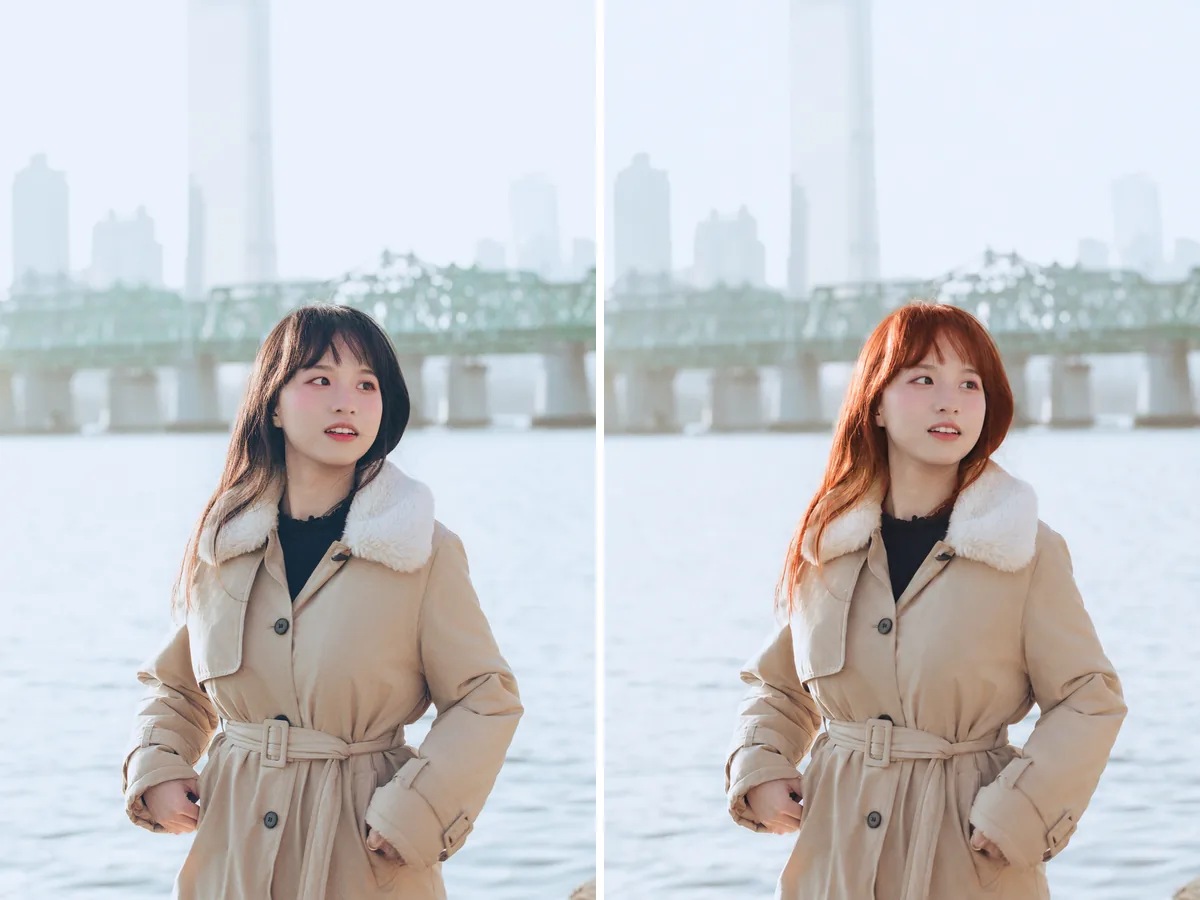 Original on the left, Copper on the right. You can see how a bright shade looks in outdoor light before you commit.
Which hair colors should you try first?
- First time dyeing, want to play it safe: start with Milk Tea Brown, Warm Chestnut and Chocolate Brown. The difference is subtle, but each one changes how your skin tone reads.
- Want a cool tone without brassiness: Ash Brown and Icy Platinum are both cool shades, so compare them side by side.
- Want something bold that still works for the office: Buttery Highlights, Caramel Balayage and Peekaboo Blue only change part of your hair. Try them to see how much of the color actually shows.
- Want a full statement color: Misty Pink, Lavender, Copper and Cherry Cola look very different on different skin tones, so they are the ones most worth previewing.
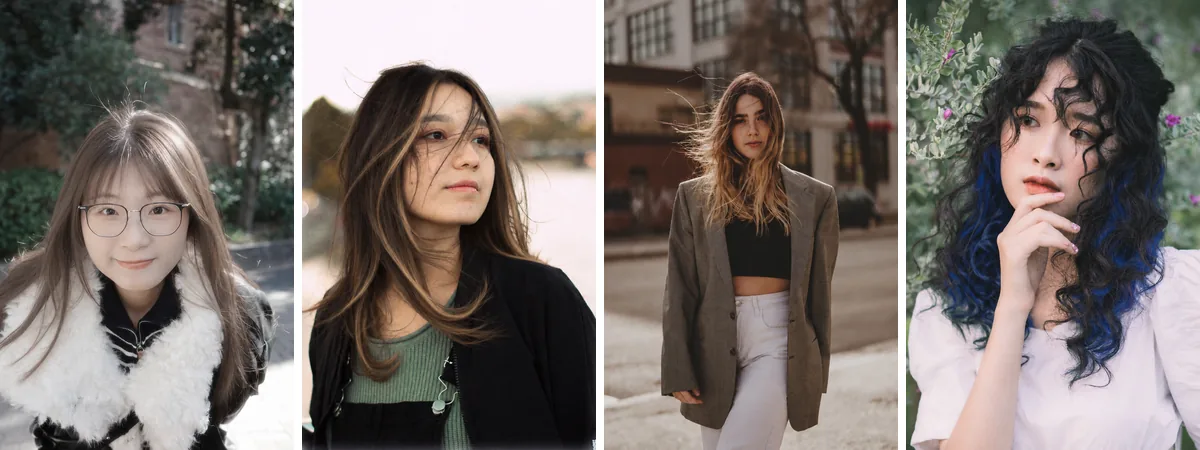 Milk Tea Brown, Buttery Highlights, Caramel Balayage and Peekaboo Blue, each made from a different photo.
Want a new haircut too?
Hairstyles and hair colors are separate tabs in the app. You can try a new cut first, save it, then try colors on that new photo. Our guide to trying hairstyles on your photo covers all 14 cuts, from Sleek Bob to Wolf Cut. To put your new look into a photo strip or sticker sheet, see how to make a photo booth strip from one photo.
What an AI hair color preview can't tell you
- A hair color try-on is a preview. The color you actually get depends on your current color, your hair type, whether your hair has been lightened before, and how your stylist mixes the color.
- Light changes how color looks in a photo: warm indoor light makes hair look warmer, and a cloudy day makes it look cooler.
- VISEFF keeps your hairstyle, face and pose and changes only the color. Showing the preview to your stylist is far clearer than asking for "a bit more pink".
FAQ
Is there a free app to try hair color on my photo?
VISEFF is free to download, and the free version includes free credits for AI effects. VISEFF Premium gives you 10 credits a day for AI effects – most effects, including hair colors, use 1. AI results made with the free version have a watermark.
Does changing the hair color change my hairstyle too?
No. Hair Color is its own tab and changes only the color. To try a new cut, choose one from the Hairstyles tab.
Is the preview color exactly what I'll get at the salon?
Not always. The preview is a reference; the real color depends on your starting color, your hair type and your stylist's mix. Bring the preview with you and talk it through.